Offering visitors internet access can be convenient without giving their devices the same access as employees, servers, printers, and other internal business systems.
Guest Wi-Fi security for businesses starts with a simple principle: visitor devices should not automatically share the same trusted network as internal company technology.
Customers, contractors, vendors, and visitors may need internet access while they are onsite. However, their personal devices are outside the organization's direct management. As a result, separating guest traffic can reduce unnecessary access to internal resources while still providing useful connectivity.
Why Guest Wi-Fi Security for Businesses Matters
A modern office network may connect employee laptops, servers, printers, phones, cameras, access-control systems, cloud services, and other business technology.
Meanwhile, guest Wi-Fi may serve smartphones, tablets, and personal laptops that the company does not configure or monitor. Therefore, placing both groups on the same unrestricted network can create unnecessary exposure.
What Is a Guest Wi-Fi Network?
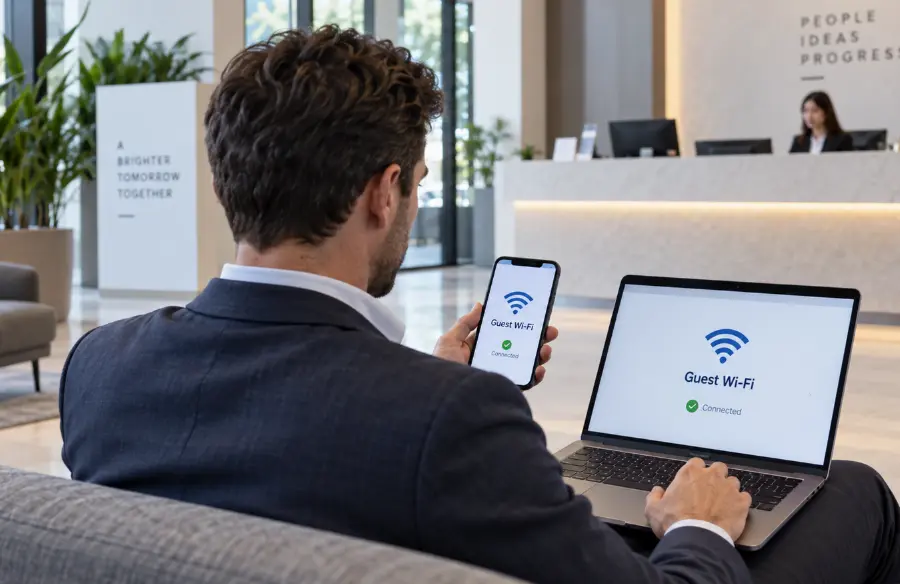
A guest Wi-Fi network is a wireless network intended for visitors who need internet access but do not need direct access to internal business resources.
For example, a customer waiting for an appointment may need internet access on a phone. A contractor may also need temporary connectivity while working onsite.
In both cases, internet access can usually be provided without placing the visitor's device on the same network used by employee computers, shared storage, printers, servers, or other business systems.
Why Should Guest and Internal Networks Be Separate?
Separating guest traffic from internal systems is a form of network segmentation. Instead of allowing every connected device to communicate across one broad network, segmentation creates boundaries between groups of systems.
Cisco's campus LAN and wireless LAN design guidance describes guest wireless access as internet-focused connectivity that keeps guest traffic separate from the internal network so visitors cannot access internal resources.
Therefore, network separation supports a practical security goal: give visitors the connectivity they need without granting unnecessary access to business technology.
What Can Go Wrong on a Shared Wi-Fi Network?
A shared network does not automatically mean an incident will occur. However, it increases the number of devices that may be able to discover or communicate with internal systems.
Unmanaged Devices Join the Internal Environment
Businesses typically have little control over the security condition of visitor devices. For instance, a guest laptop may have outdated software, unwanted applications, or malware that the company cannot inspect or manage.
Internal Devices May Become More Visible
On a poorly segmented network, visitors may be able to discover printers, computers, shared services, or other connected technology that they do not need to reach.
One Compromised Device Can Create More Exposure
If a guest device is compromised, unrestricted network access may provide additional opportunities to probe other systems. Separating the guest network can limit the paths available from that device.
Troubleshooting Becomes Harder
Mixing employees, guests, printers, cameras, and other devices on one network can also make performance and security troubleshooting more complicated.
How Network Segmentation Improves Guest Wi-Fi Security
Network segmentation creates logical boundaries between different groups of users or devices. In a guest Wi-Fi environment, this commonly means giving visitors internet access while restricting their ability to communicate with internal systems.
Cisco's current guidance on setting up guest Wi-Fi for businesses recommends using a separate guest network instead of sharing the company's private wireless access with visitors.
In addition, segmentation can help IT teams apply different security, access, and performance policies to employees and guests. As a result, visitor access becomes easier to manage without treating unknown devices as trusted business endpoints.
What Is an SSID and Why Does It Matter?
An SSID is the name users see when selecting a Wi-Fi network. A business may use one wireless network name for employees and another for guests.
However, creating two network names alone does not guarantee proper separation. The underlying network configuration must also prevent guest traffic from reaching resources that should remain internal.
Therefore, secure guest Wi-Fi for business depends on both the visible wireless setup and the firewall, VLAN, routing, or access-control policies behind it.
How Firewalls Help Separate Guest Wi-Fi
Firewalls can help enforce which types of traffic are allowed between different parts of a business network.
For example, a properly configured firewall can allow guest devices to reach the internet while blocking attempts to access internal servers, workstations, management interfaces, or other protected network segments.
SecuraLynx provides managed network security services that include professionally configured firewalls, switching, Wi-Fi, monitoring, audits, patching, configuration backups, and ongoing technical support.
Consequently, guest-network separation can be managed as part of the broader network-security design rather than as an isolated wireless setting.
Should Guest Wi-Fi Use a Password?
Guest-network access should be appropriate for the organization's environment. In many business settings, password protection can help prevent anyone nearby from joining freely.
In addition, organizations should use current Wi-Fi security standards supported by their equipment and client devices rather than relying on older, weak protocols.
Most importantly, the guest password should not be the same credential used for the internal employee network. Otherwise, sharing guest access could unintentionally expose the credentials for a more trusted network.
What Is Guest Isolation?
Guest isolation can restrict communication not only between the guest network and the internal network, but also between visitor devices connected to the same guest environment.
For example, two customers using guest Wi-Fi generally do not need direct access to one another's laptops or phones.
Cisco's guest-network documentation describes wireless guest access that keeps guest traffic separate from the business network and can also isolate guest devices from one another.
As a result, isolation can reduce unnecessary device-to-device communication while still allowing visitors to reach the internet.
Recent Wi-Fi Attacks Show Why Network Trust Matters
Wi-Fi security is not only about preventing someone from guessing a password. Attackers may also target the infrastructure that provides wireless access.
In July 2026, SecurityWeek reported on a campaign in which attackers compromised public Wi-Fi gateway appliances and modified DNS settings to redirect users toward infrastructure used for credential theft. The campaign reportedly targeted Microsoft 365 accounts belonging to traveling corporate users. Read SecurityWeek's report on compromised public Wi-Fi gateways .
This does not mean every guest Wi-Fi network creates the same risk. However, it reinforces why businesses should maintain wireless infrastructure, secure administrative access, monitor network equipment, and avoid giving visitor traffic unnecessary trust.
Guest Wi-Fi Security and Payment Environments
Businesses that accept payment cards may have additional reasons to carefully separate networks and systems.
The PCI Security Standards Council wireless guidance provides an example in which guest wireless traffic is treated as untrusted and segmented from the corporate wireless network through a firewall.
However, creating a guest network alone does not guarantee PCI DSS compliance or compliance with any other framework. Requirements depend on the organization's systems, data flows, configuration, and applicable standards.
Guest Wi-Fi Should Not Replace Endpoint Security
Network separation limits which resources guest devices can reach, but it does not protect employee computers from every cyber threat.
For this reason, managed endpoint security services remain important for business-owned computers and devices.
Endpoint security can address risks such as malware, vulnerabilities, missing updates, suspicious activity, and device-management concerns. Meanwhile, guest-network segmentation controls where visitor traffic can go.
Together, these layers create a more complete approach than relying on Wi-Fi settings alone.
Monitoring Helps Maintain Guest Wi-Fi Security
Network configuration should not be treated as a one-time project. Business requirements, equipment, users, and security recommendations can change over time.
Ongoing monitoring can help identify device health, connectivity problems, unusual activity, or network equipment that needs attention.
SecuraLynx's managed security monitoring services complement network management by providing broader visibility into security alerts and activity across supported systems.
Therefore, monitoring and regular configuration reviews can help businesses maintain guest Wi-Fi security as the network evolves.
Guest Wi-Fi Security Best Practices for Businesses
Effective guest Wi-Fi security for businesses combines network separation with sensible access controls and ongoing management.
Useful practices include:
- Create a dedicated guest Wi-Fi network
- Separate guest traffic from internal business systems
- Use appropriate firewall or access-control rules
- Avoid sharing the internal Wi-Fi password with visitors
- Use current wireless security standards
- Consider guest-device isolation where appropriate
- Protect network equipment administrative accounts
- Keep wireless equipment and firmware maintained
- Monitor network health and important security events
- Review guest access as the business environment changes
Ultimately, the goal is simple: visitors should receive the connectivity they need without receiving access they do not need.
Common Guest Wi-Fi Security Mistakes
Some businesses create guest access for convenience but never revisit the security configuration.
Common mistakes may include:
- Putting visitors and employees on the same network
- Using the same Wi-Fi password for guests and staff
- Assuming a second SSID automatically means proper separation
- Allowing guest devices to reach internal printers or servers
- Leaving network-equipment administration poorly protected
- Using outdated wireless security settings
- Failing to update access points or firewall firmware
- Never reviewing the guest-network configuration
Fortunately, these issues can often be identified through routine network reviews before they create a larger problem.
How a Cybersecurity Risk Assessment Can Review Wi-Fi Security
Businesses may not always know whether their guest and internal networks are actually separated as intended.
For example, an older configuration may have been changed over time, or new access points and network devices may have been added without a full security review.
A cybersecurity risk assessment can help review network security concerns alongside vulnerabilities, configurations, exposed services, and other technical risks.
As a result, businesses can base improvements on their actual environment instead of assuming guest Wi-Fi is properly isolated.
When Should a Business Consider Managed Wi-Fi Security Services?
Managing wireless networks becomes more complex as a business adds employees, visitors, access points, locations, cloud services, and other connected technology.
Professional network support may be useful when:
- The business is unsure whether guest Wi-Fi is properly separated
- No one regularly reviews firewall or Wi-Fi configurations
- Multiple access points need to be centrally managed
- Network equipment updates are inconsistent
- Employees frequently experience connectivity problems
- Guest and internal devices currently share the same network
- The organization needs ongoing monitoring and support
In these situations, managed Wi-Fi and firewall services can help maintain both security and network performance without requiring employees to troubleshoot the infrastructure themselves.
Frequently Asked Questions
Should guest Wi-Fi be separate from the business network?
Yes, in most business environments visitors should use a separate guest network that provides internet access without unnecessary access to internal computers, servers, printers, and other business systems.
Why is guest Wi-Fi security important?
Guest Wi-Fi security helps businesses provide visitor connectivity while limiting the ability of unmanaged devices to reach internal company resources.
Is a separate Wi-Fi name enough to secure guest access?
Not necessarily. A separate SSID should also have appropriate underlying network segmentation, firewall, VLAN, or access-control policies that restrict guest access to internal resources.
Should guest Wi-Fi have a different password?
Yes. Guest access should not require sharing the credential used for the internal employee Wi-Fi network. The appropriate guest-access method depends on the business environment and network design.
Can guest Wi-Fi devices infect the internal network?
Proper separation can reduce the paths a compromised guest device has to internal systems. However, no single control guarantees complete protection, so businesses should combine segmentation with firewall security, endpoint protection, updates, and monitoring.
How can managed network security help with guest Wi-Fi?
Managed network security can provide professional firewall and Wi-Fi configuration, ongoing monitoring, updates, audits, configuration backups, and technical support to help maintain network separation and performance.
Make Guest Wi-Fi Security Part of Your Network Strategy
Guest Wi-Fi security for businesses is not about preventing visitors from using the internet. Instead, it is about providing convenient connectivity without extending unnecessary trust to unmanaged devices.
By separating guest and internal networks, businesses can reduce exposure to internal systems and apply different security policies to visitors and employees.
However, segmentation is only one layer. Firewalls, secure Wi-Fi configuration, endpoint protection, monitoring, updates, and regular reviews should work together as part of a broader network-security strategy.
Is Your Guest Wi-Fi Properly Separated?
SecuraLynx can help review your Wi-Fi, firewall, network segmentation, configurations, monitoring, and other controls that affect business network security.
Request a cybersecurity assessment and custom proposal to identify potential gaps and determine which managed network-security services fit your environment.
Request a Network Security Assessment