Learn how disk encryption helps protect files and other business information stored on laptops, workstations, and portable devices if the hardware is lost or stolen.
Disk encryption protects information stored on a device by converting that data into a form that cannot be read normally without the appropriate authorization.
In particular, disk encryption becomes important when a laptop or storage device leaves the company's physical control. Although someone may possess the hardware, properly configured encryption can make the stored information much harder to access.
Why Disk Encryption Matters for Business Devices
Employees may store or synchronize important information on company devices every day. For example, a laptop can contain customer documents, financial files, downloaded email attachments, project information, and locally synchronized cloud files.
If that device disappears, the organization no longer controls who can physically handle it. Therefore, protecting the information stored on the device becomes an important part of business cybersecurity.
What Is Disk Encryption?
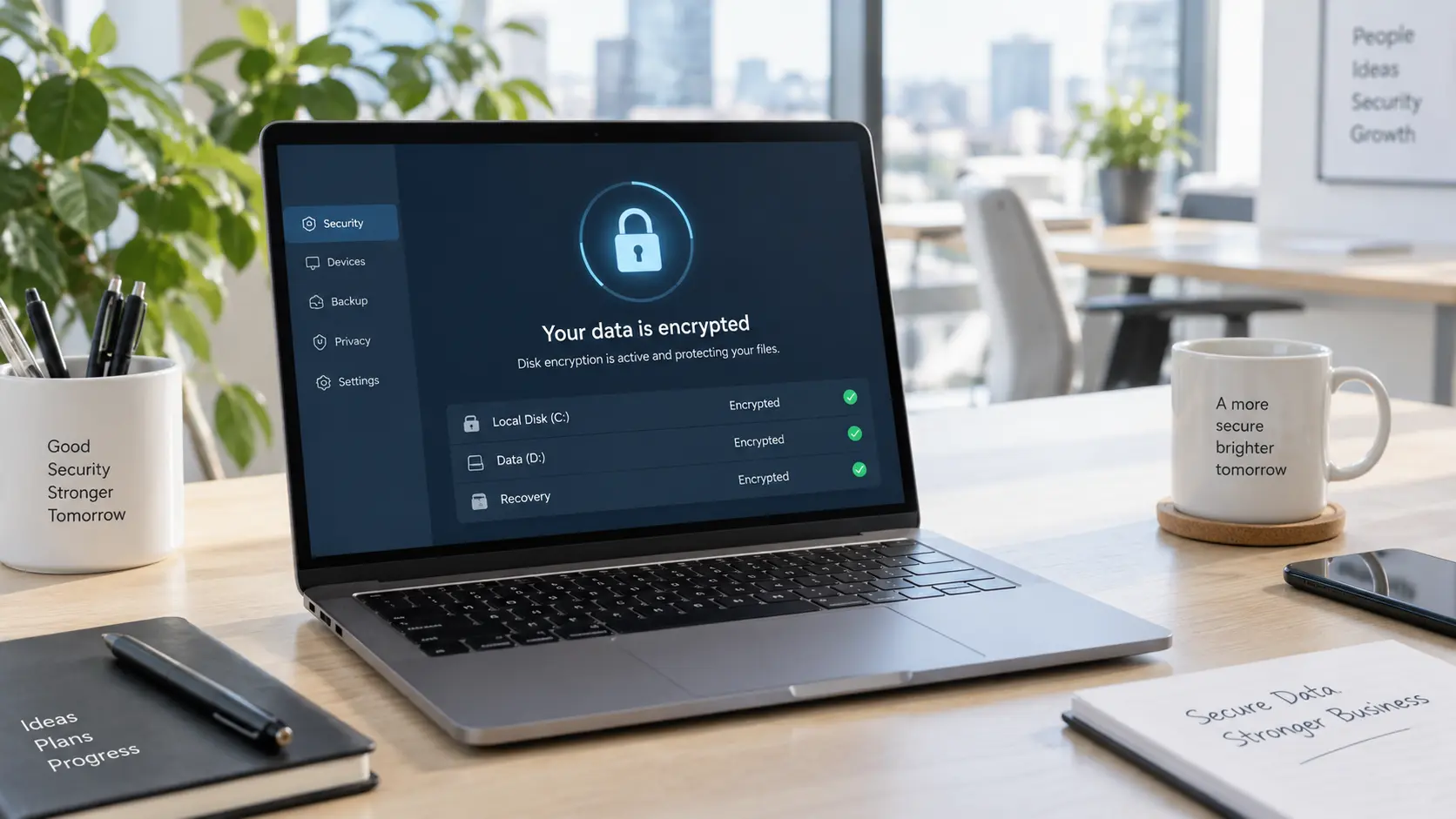
Disk encryption protects stored information by encoding data on a computer or storage device. As a result, authorized users can access that information through the normal authentication process, while unauthorized users should not be able to read the protected data directly.
With full disk encryption, the protection can cover the operating system volume and other information stored on the encrypted drive. Consequently, copying or removing the drive does not automatically provide readable access to the files.
For additional guidance, the Information Commissioner's Office guidance on encryption and data storage explains that storage encryption can help protect information when laptops, smartphones, tablets, removable media, and other devices are lost or stolen.
How Disk Encryption Protects a Lost or Stolen Device
Physical possession of a computer can create security risks that do not exist when the device remains inside a controlled workplace.
For example, someone who obtains an unprotected computer may try alternative methods to access its storage instead of using the normal employee login process. Disk encryption, however, adds another barrier because the stored information remains encoded without the required authorization.
As a result, losing the physical hardware does not necessarily mean the person holding it can immediately read the business data.
However, disk encryption must already be configured and active before the device is lost. Therefore, businesses should confirm encryption status as part of normal device management rather than waiting until an incident occurs.
What Business Data Can Disk Encryption Protect?
The amount of locally stored information varies from one employee and device to another. Nevertheless, even organizations that rely heavily on cloud services may have sensitive data stored on endpoints.
For example, locally stored business information can include:
- Customer and client documents
- Financial reports
- Employee information
- Downloaded email attachments
- Locally synchronized cloud files
- Business spreadsheets and presentations
- Contracts and internal documents
- Project files
- Application data stored locally
- Temporary or cached business information
For this reason, businesses should not assume that using cloud applications means company devices contain no sensitive local data.
Disk Encryption vs. Login Authentication
Authentication and disk encryption work together, but they address different security needs.
Login Authentication
Passwords, PINs, biometrics, and other login methods help confirm that the person attempting to use a device is authorized.
Disk Encryption
Disk encryption protects the stored information itself. Therefore, it can provide an additional layer of protection when someone attempts to access storage outside the normal authorized login process.
In practice, strong authentication and disk encryption should complement one another rather than being treated as interchangeable controls.
Why Encryption Recovery Management Matters
Protecting stored data also creates a responsibility to ensure authorized users can recover access when necessary.
For instance, hardware changes, system problems, forgotten credentials, or administrative actions may require a recovery process.
As a result, organizations should maintain recovery information securely and separately from the protected device. Otherwise, storing recovery information beside the computer could weaken the protection encryption is intended to provide.
Effective business disk encryption services should therefore consider both data protection and authorized recovery.
Which Business Devices Should Use Disk Encryption?
Disk encryption is especially valuable for portable devices because they regularly leave offices and other controlled work environments. However, desktops and other systems may also hold information that deserves protection.
Depending on the organization, encryption may be appropriate for:
- Employee laptops
- Executive computers
- Remote-work devices
- Desktops containing sensitive local information
- Portable storage devices
- External drives used for legitimate business purposes
- Systems containing confidential or regulated information
In addition, the ICO's broader encryption guidance discusses encryption as a way to reduce risks associated with storing personal information on computers and portable devices.
How Disk Encryption Protects Data at Rest
Information stored on a device is often described as data at rest. Disk encryption helps protect this stored information when an unauthorized person gains physical access to the device.
Once an authorized user unlocks the device, however, applications and users can access data according to their permissions.
Therefore, disk encryption does not replace other protections such as endpoint monitoring, strong authentication, appropriate account access, network security, and employee security practices.
What Disk Encryption Does Not Protect Against
Disk encryption provides an important layer of security. However, it does not protect a business from every type of cyber threat.
For example, disk encryption alone does not prevent:
- Phishing attacks
- Malware running on an unlocked device
- Stolen cloud credentials
- Employees sharing information improperly
- Weak account permissions
- Network attacks
- Ransomware accessing files available to a logged-in user
- Data theft from an already unlocked device
In other words, disk encryption protects stored information from certain forms of unauthorized access. Meanwhile, other cybersecurity controls address threats that occur while users and applications are actively using the device.
How Endpoint Security Complements Disk Encryption
Disk encryption becomes more effective as part of a broader device-security strategy. In addition, businesses need visibility into which devices they own and whether important protections remain active.
SecuraLynx provides managed endpoint security services that include endpoint management, security monitoring, update management, vulnerability checks, and other protections for supported business devices.
SecuraLynx also lists disk encryption as an optional capability within its Backup & Data Security services. Therefore, encryption can fit into a broader device-security strategy without being treated as the only protection an endpoint needs.
As a result, disk encryption can work alongside endpoint monitoring, vulnerability management, patching, and other security controls.
Why Encrypted Devices Still Need Backups
Disk encryption protects information from unauthorized access. However, it does not create another copy of that information.
For example, if an encrypted laptop is permanently lost, damaged, or becomes unusable, the business may still lose its data unless another protected copy exists.
For this reason, managed backup and disaster recovery services complement encryption by helping preserve business information separately from the original endpoint.
Together, backups and disk encryption address two different concerns: keeping information available and restricting unauthorized access.
What Should You Do When a Business Device Is Lost or Stolen?
Disk encryption can reduce risk, but businesses should still have a documented lost-device response process.
Depending on the environment, useful steps may include:
- Report the missing device promptly
- Confirm whether disk encryption was active
- Review the device's last known status
- Restrict associated accounts when appropriate
- Review recent sign-in and security activity
- Use available remote-management controls when appropriate
- Identify what business information may have been stored locally
- Document the incident and determine whether further response is required
Most importantly, the organization should already know which devices are encrypted before an incident occurs. As a result, device records can help reduce uncertainty during a lost-device investigation.
How a Cybersecurity Risk Assessment Can Find Disk Encryption Gaps
Disk encryption policies can become inconsistent as devices are added, replaced, reassigned, or used remotely.
For instance, newer laptops may have stronger protections while older workstations or recently deployed devices use different configurations.
Therefore, a cybersecurity risk assessment can help review encryption status alongside other cybersecurity controls and identify areas that may require additional attention.
As a result, disk encryption decisions can be based on actual business devices, data, and risk instead of assuming every endpoint follows the same security standard.
What Should Business Disk Encryption Services Include?
Businesses evaluating business disk encryption services should consider more than whether encryption can simply be enabled. Ongoing visibility and administration also matter.
Useful capabilities may include:
- Reviewing the business device inventory
- Checking disk encryption status
- Configuring appropriate encryption controls
- Managing authorized recovery information
- Identifying devices that are not protected
- Integrating encryption with endpoint-management practices
- Supporting lost-device response
- Maintaining useful security documentation
Ultimately, the goal is to know which devices are protected and maintain an appropriate recovery process for authorized users.
Does Disk Encryption Guarantee Compliance?
No. Disk encryption can support broader security and compliance efforts, but enabling encryption alone does not guarantee that a business complies with a particular law, contract, framework, or cyber-insurance requirement.
Requirements vary by organization and the information involved. Therefore, businesses should review disk encryption alongside access controls, endpoint management, backups, policies, monitoring, and other applicable security requirements.
In addition, maintaining documentation about device protection may help organizations demonstrate that they follow a consistent security process.
Frequently Asked Questions
What does disk encryption do?
Disk encryption encodes information stored on a device so that unauthorized users cannot read the protected data normally without the required authorization.
Does disk encryption protect a stolen laptop?
Properly configured disk encryption can help protect locally stored business information if a laptop is lost or stolen by making the encrypted data difficult to read without authorization.
Is a login password the same as disk encryption?
No. Login authentication controls access through the normal device sign-in process. In contrast, disk encryption provides an additional layer by protecting the information stored on the drive itself.
Should remote-work laptops use disk encryption?
Remote laptops can be strong candidates for disk encryption because they regularly operate outside controlled office environments and may store or synchronize business information locally.
Does disk encryption stop ransomware?
No. Disk encryption primarily protects stored information from unauthorized offline access. However, ransomware operating while a legitimate user is signed in may still affect files the user can access.
Does disk encryption replace endpoint security?
No. Endpoint security addresses additional risks such as malware, vulnerabilities, suspicious activity, patching, and device monitoring. Therefore, encryption should remain one layer of a broader cybersecurity strategy.
Make Disk Encryption Part of Your Device Security Plan
Disk encryption provides an important layer of protection when business laptops, workstations, or storage devices leave the organization's physical control.
Although disk encryption cannot prevent every cyberattack, it can help reduce the risk that someone who obtains a lost or stolen device can directly access locally stored information.
Therefore, businesses should combine disk encryption with endpoint security, strong authentication, backups, monitoring, and an appropriate lost-device response process.
Are Your Business Devices Properly Protected?
SecuraLynx can help review device security, endpoint management, backups, encryption needs, and other controls that protect business information.
From there, a cybersecurity assessment can help identify potential gaps and determine which security protections fit your environment.
Request a Cybersecurity Assessment