Microsoft 365 backup vs retention is an important distinction for businesses that need both reliable data recovery and appropriate data lifecycle controls.
Microsoft 365 backup vs retention can be confusing because both concepts involve keeping business data available over time. However, they are designed for different purposes.
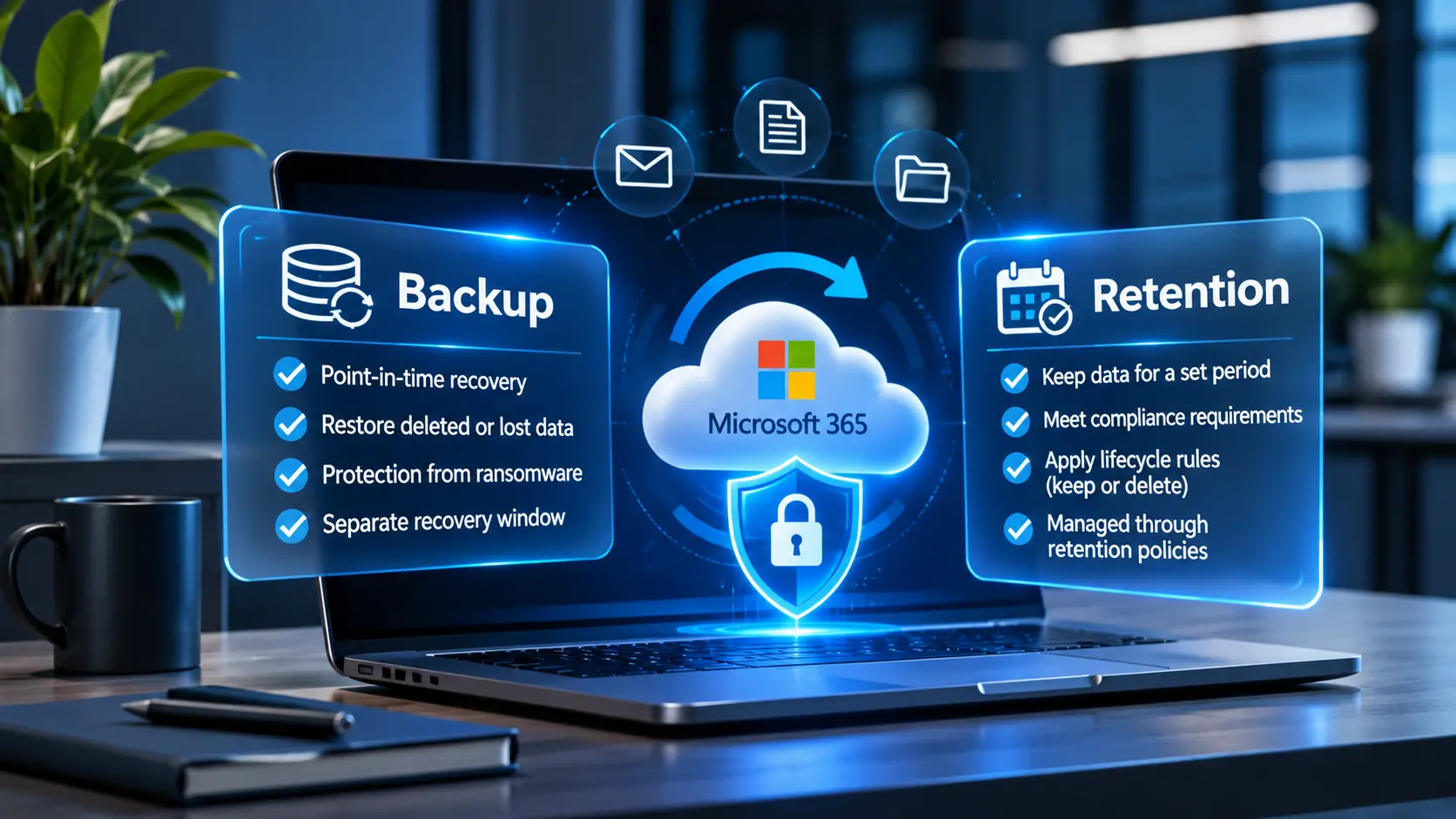
Retention policies help organizations preserve or delete content according to business, legal, or compliance requirements. Backup, on the other hand, focuses on restoring protected data from an earlier point after deletion, corruption, ransomware, or another data-loss event.
Why Microsoft 365 Backup vs Retention Matters
Microsoft 365 may contain years of important email, contracts, project files, customer information, financial records, and collaboration data.
Because that data is important, businesses need to understand whether they are trying to preserve information for policy reasons, recover information after a problem, or both.
What Is Microsoft 365 Retention?
Microsoft 365 retention is primarily a data lifecycle and compliance control.
Microsoft Purview retention policies and retention labels can be configured to retain content, delete content after a defined period, or retain content and then delete it.
Microsoft explains its retention settings as tools for determining how long content should be kept and what should happen when the retention period ends.
These controls can apply across supported Microsoft 365 workloads, including Exchange, SharePoint, OneDrive, Microsoft 365 Groups, Teams, and other services.
What Is Microsoft 365 Backup?
Microsoft 365 Backup focuses on recovery.
Instead of defining how long business records must remain subject to a retention rule, backup creates recovery points that can be used to restore protected data after something goes wrong.
Depending on the protection configuration, backup can support recovery of Microsoft 365 data such as Exchange mailboxes, SharePoint sites, and OneDrive accounts.
Microsoft now supports configurable backup recovery windows of three months, six months, one year, or two years for Microsoft 365 Backup policies.
Microsoft 365 Backup vs Retention: The Key Difference
Retention
Retention is designed to control how long information is preserved or when it should be deleted according to lifecycle, compliance, or records-management requirements.
Backup
Backup is designed to help recover protected data from a previous point in time after deletion, corruption, ransomware, administrative mistakes, or other data-loss events.
This distinction matters because keeping data for compliance does not automatically provide the same recovery process as a dedicated backup system.
Microsoft Retention Policies Do Not Control Backup Recovery Points
One of the most important details in the Microsoft 365 backup vs retention discussion is that the two policy systems are separate.
Microsoft states in its Microsoft 365 Backup privacy and security documentation that retention and deletion policies do not flow through to backups.
Instead, the backup recovery window is governed by the backup policy itself.
After backed-up information is restored and becomes live content again, the applicable Microsoft 365 retention or deletion policies can apply to that restored data.
Retention Is Primarily About Data Lifecycle and Compliance
Retention policies help businesses control how information is kept over time.
For example, an organization may need certain records preserved for several years because of contractual, legal, regulatory, or internal policy requirements.
Microsoft Purview allows organizations to create retention policies that can:
- Retain content for a defined period
- Retain content indefinitely
- Retain content and then delete it
- Delete content when it reaches a certain age
- Apply different policies to selected Microsoft 365 locations
These controls make retention useful for governance, records management, and compliance.
Backup Is Primarily About Recovery
Backup solves a different business problem: restoring information after data is lost or damaged.
Common recovery scenarios can include:
- Accidental deletion
- File corruption
- Ransomware activity
- Administrative mistakes
- Unexpected changes to cloud files
- Deleted user data
- Large-scale data-loss events
In these situations, businesses often need a clean version of the affected data from before the problem occurred.
Why Retention Alone May Not Meet Recovery Needs
Retention is valuable, but it is not designed solely around rapid point-in-time recovery.
Its primary purpose is to control whether information must remain available or be deleted according to policy.
A business may therefore meet a retention requirement and still have separate recovery objectives involving:
- How far back data needs to be restored
- How quickly restoration needs to happen
- Which workloads need backup protection
- How deleted data should be recovered
- How ransomware-affected data should be restored
This is why data retention and backup planning should be evaluated separately.
Microsoft 365 Backup vs Retention for Exchange Email
Microsoft 365 backup vs retention is especially important for Exchange Online because email often contains critical business records.
A retention policy can preserve mailbox content according to a defined policy period.
Backup provides a separate recovery mechanism that can help restore protected mailbox information to an earlier state.
SecuraLynx provides Microsoft 365 security and compliance services that include mailbox and file backups, searchable archives, security monitoring, threat filtering, and compliance support.
Microsoft 365 Backup vs Retention for OneDrive
OneDrive is commonly used for employee files, documents, working data, and synchronized folders.
Retention settings can preserve OneDrive content according to the organization's lifecycle requirements.
Backup, by comparison, provides historical recovery options when files are deleted, changed, corrupted, or otherwise need to be restored.
This distinction becomes especially important when employees leave the organization or important files are changed unexpectedly.
Microsoft 365 Backup vs Retention for SharePoint
SharePoint sites may contain contracts, policies, project files, departmental documents, and shared business records.
Retention policies can help ensure content remains available for the required period.
Backup provides a different layer of protection by supporting recovery of protected SharePoint data from an earlier recovery point.
For businesses with important SharePoint content, both lifecycle requirements and recovery requirements should be documented.
Microsoft 365 Backup Recovery Windows Have Changed
Microsoft has continued expanding Microsoft 365 Backup capabilities during 2026.
According to Microsoft's Microsoft 365 Backup updates , backup policies can now use recovery windows of three months, six months, one year, or two years.
Existing policies keep a one-year recovery window unless an administrator changes the setting.
This gives businesses more flexibility, but it also means recovery requirements should be intentionally configured instead of assumed.
Retention Periods Work Differently
Retention periods are based on lifecycle rules rather than backup recovery points.
Microsoft Purview allows retention periods to be based on factors such as when content was created, modified, or labeled, depending on the workload and policy type.
At the end of the retention period, the organization can choose whether content remains available, has retention restrictions removed, or is deleted according to the configured policy.
That behavior is fundamentally different from selecting a backup recovery point.
Backup and Retention Can Work Together
Businesses do not necessarily need to choose one or the other.
Retention and backup can serve complementary purposes:
- Retention supports lifecycle and compliance requirements
- Backup supports historical recovery
- Retention can preserve required records
- Backup can provide recovery points after data loss
- Both can support broader data-resilience planning
The key is understanding which control is responsible for each business requirement.
Microsoft 365 Backup vs Retention After Ransomware
Ransomware and malicious file changes are useful examples of why backup and retention should not be treated as identical controls.
If files are changed or encrypted, the business may need to restore versions from before the incident.
A backup strategy is designed around that type of recovery need.
SecuraLynx's managed cloud backup and disaster recovery services provide historical snapshots of Microsoft 365 mailbox and file data alongside workstation, server, and cloud file protection.
Backup Planning Should Include Deleted Users
Employee departures create another important data-protection scenario.
When an employee leaves, the business still needs to know what should happen to email, OneDrive files, shared documents, and other Microsoft 365 information.
Retention can help preserve required records, while backup can support historical recovery according to the configured backup policy.
SecuraLynx's article on former employee access and user account management explains why access removal and business-data protection should be coordinated during offboarding.
Microsoft 365 Backup Does Not Replace Security
Backup is an important resilience control, but it does not prevent phishing, account takeover, malicious links, credential theft, or unauthorized access.
For this reason, backup should work alongside:
- Multi-factor authentication
- Email threat filtering
- User security training
- Account monitoring
- Endpoint protection
- Access management
- Security assessments
SecuraLynx's Microsoft 365 security services combine backup and archiving with threat filtering, security training, monitoring, support, and compliance services.
Retention Does Not Replace Backup Either
Retention is useful for preserving content, but businesses should not assume that a retention policy automatically creates the same historical recovery options as a backup policy.
Microsoft explicitly separates its retention system from Microsoft 365 Backup recovery windows.
This makes it important to document both:
- How long information must be retained
- How far back the business needs to restore data
Those answers may be different.
What Should a Microsoft 365 Backup Strategy Include?
A practical Microsoft 365 backup strategy should start with the business's recovery requirements.
Areas to review may include:
- Which Microsoft 365 workloads need protection
- Which mailboxes are business-critical
- Which SharePoint sites contain essential data
- Which OneDrive accounts require recovery protection
- How long recovery points should remain available
- How quickly information needs to be restored
- Who can initiate restores
- How backup activity is monitored
- How backup recovery is tested
Clear answers make backup policies easier to manage and evaluate.
What Should a Microsoft 365 Retention Strategy Include?
Retention planning starts with different questions.
Businesses may need to determine:
- Which records must be preserved
- How long those records must be retained
- Which workloads or users are included
- Whether content should be deleted after the retention period
- Whether item-level retention labels are required
- Which compliance or legal requirements apply
Microsoft Purview can apply retention at broad location levels or through more targeted labels and policies depending on the organization's requirements.
Microsoft 365 Backup vs Retention: Questions to Ask
Businesses reviewing Microsoft 365 backup vs retention should ask practical questions instead of assuming one feature covers every requirement.
- How long must business records be preserved?
- How far back might we need to restore deleted data?
- Which Microsoft 365 workloads contain critical information?
- What happens when an employee leaves?
- Can we recover after ransomware or mass deletion?
- Who manages backup policies?
- Who manages retention policies?
- How often are restores tested?
- Do compliance requirements affect retention?
These questions help separate compliance requirements from operational recovery requirements.
How SecuraLynx Supports Microsoft 365 Backup and Data Protection
SecuraLynx provides managed backup and Microsoft 365 security services designed to protect business email and cloud data.
Its managed backup services include historical snapshots of Microsoft 365 mailbox and file data stored in a searchable cloud environment.
SecuraLynx also provides Microsoft 365 security and compliance services covering backup and archiving, threat filtering, user training, alert monitoring, compliance support, and technical consulting.
This allows backup, security, compliance, and recovery planning to be considered together rather than as separate technology decisions.
Frequently Asked Questions
Is Microsoft 365 retention the same as backup?
No. Retention is primarily designed to preserve or delete content according to lifecycle or compliance policies. Backup is designed to provide recovery points that can be used to restore protected data.
Do Microsoft 365 retention policies apply to backups?
Microsoft states that retention and deletion policies do not flow through to Microsoft 365 Backup. Backup recovery windows are controlled by the backup policy.
How long can Microsoft 365 Backup keep recovery points?
Microsoft 365 Backup currently supports configurable recovery windows of three months, six months, one year, or two years.
Can Microsoft 365 retention help with compliance?
Yes. Microsoft Purview retention policies and labels can help organizations preserve or delete content according to legal, regulatory, business, and records-management requirements.
Do businesses need both Microsoft 365 backup and retention?
Many organizations use both because the controls serve different purposes. Retention addresses lifecycle and compliance needs, while backup supports historical recovery after data loss or security incidents.
What does Microsoft 365 backup vs retention mean?
Microsoft 365 backup vs retention describes the difference between restoring protected Microsoft 365 data from backup recovery points and preserving or deleting content according to retention policies.
Make Microsoft 365 Backup and Retention Part of Your Data Strategy
Microsoft 365 backup vs retention is not simply a technical distinction. It affects how businesses protect data, recover from incidents, and meet information-governance requirements.
Retention helps answer, “How long should this information remain?” Backup helps answer, “How do we restore this information if something goes wrong?”
Businesses should document both requirements instead of assuming one Microsoft 365 feature provides every form of data protection.
Ultimately, strong Microsoft 365 data protection combines appropriate retention, reliable backup, account security, monitoring, and tested recovery procedures.
Could Your Business Recover Important Microsoft 365 Data?
SecuraLynx can help review Microsoft 365 backup, archiving, retention requirements, security controls, and recovery planning.
A review can help determine which data needs historical recovery, which records need longer-term retention, and how those controls fit into your broader cybersecurity strategy.
Talk to SecuraLynx